 M8 APPS
Start with a rule you can explain in one sentence.
Before uploading a logo, choose the behavior to reward: a visit, an amount spent or a recommendation that becomes a sale. Customers need to know what they earn and how to earn it.
- Stamps: a qualifying purchase adds stamps toward a reward.
- Points: the purchase amount determines redeemable points.
- Referrals: a confirmed first eligible purchase activates the configured discount and credit.
Configure your card.
Create your account
Sign in with email or Google. Review and accept the relevant terms; creating an account does not charge you or start the 14 days by itself.
Add your business
Use the name your customers recognize. The initial setup lets you choose a reward model and prepare the card.
Choose identity and reward
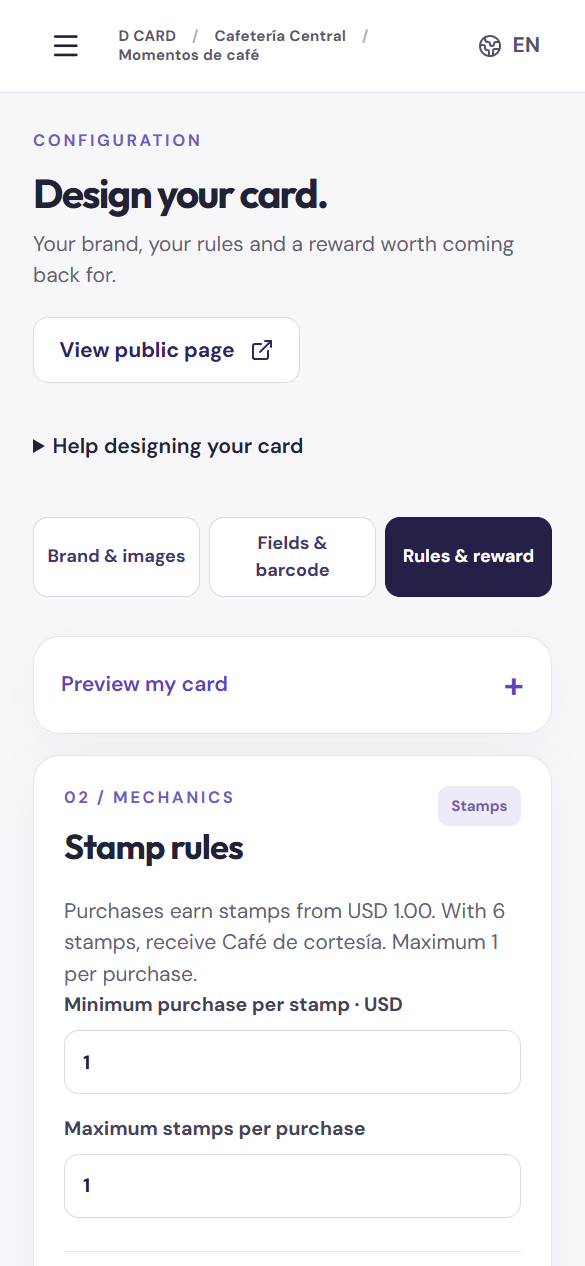
Use a template, add your logo and colors and set the rules. For stamps, decide the minimum purchase, target and reward.
Review Apple and Google
In Design cards, review both views and fields. They are different views of the same card; also check its public page.
Saving a draft and publishing are separate actions.
Save draft keeps the work you are preparing. Publish card applies reviewed design and rules to customer cards. Before changing an existing reward, check its cost and conditions.
Activate the trial when you are ready for customers.
You can design first. Commercial activation is a separate step with business details and agreements. Before sharing with real customers, review card and Wallet readiness in the dashboard. The trial lasts 14 days and is available once per owner, subject to business eligibility. Subscribing and authorizing charges happen later.
Check the complete journey.
Share from Sharing & QR
Use your business link or download a counter piece. Check that it opens the correct card.
Try enrollment
Review the name, conditions and appearance on a phone. Use sample data in the demo.
Record a purchase
In Checkout / POS, identify the customer, enter the amount, review the summary and confirm. Check the balance and history.
Check redemption
The reward must be earned under the rules. Review the voucher and confirm delivery only when appropriate.
Turn your rules into a card.
Personalize your design in D Card. Activate the 14-day trial when you are ready for customers.
Create a free account